
Image Fission · Batch creative at scale
One hero image,
shipped everywhere at once.
Image Fission is LinkBloom's batch-generation engine: give it one creative you're happy with, choose a light, medium, or heavy fission intensity, lock in the brand and product facts to preserve, then batch-generate across audience, angle, language, and proof axes.
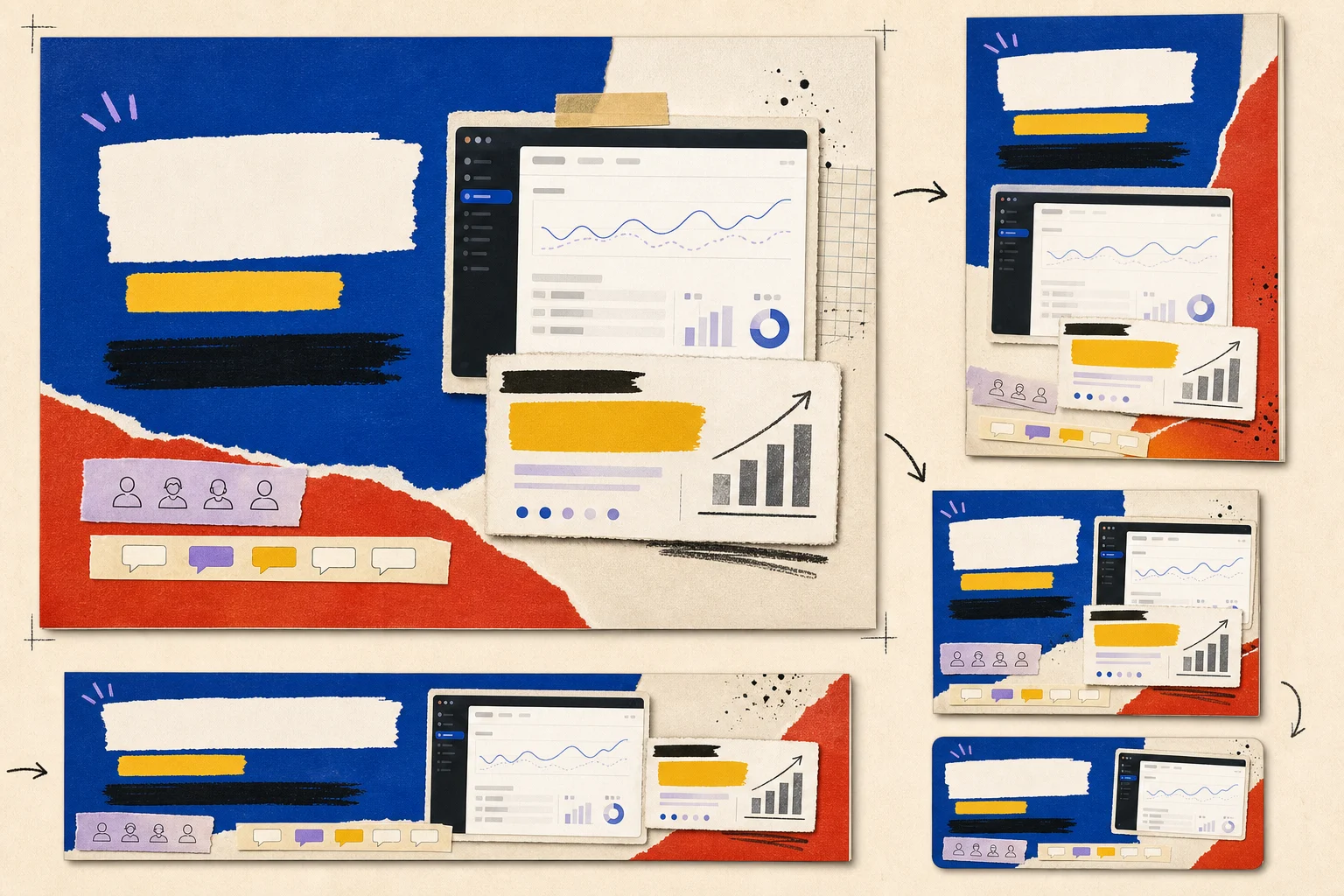
- Stays fixed
- Layout · product shot · brand color
- Switches to
- Chinese
- Fitted for
- China · CNY
Switch markets to see what changes on the same master creative — and what stays locked.
Why image fission
Going multi-market is easy — until the localized version looks off.
One campaign has to cover many markets
Chinese, English, Japanese, Russian — every market needs its own version, and manually reworking each one is slow and drifts from the original in translation.
Localizing a creative usually breaks the product
Regenerate from scratch and the interface, logo, and pricing all shift — brand consistency doesn't survive the trip.
One winning image, no capacity to scale it
You've got a creative that converts and want to push it to more audiences and channels, but there's no way to replicate it fast enough.
Core mechanism
The master's structure holds, fission runs across axes.
Depending on fission intensity, the layout skeleton, creative DNA, or product facts are preserved, with key brand and content elements locked as constraints — turning one good image into a full set.
Audience Expansion
Generate derivative creatives for different audiences from the same campaign master.
Angle Expansion
Keep the same campaign spine while switching persuasion angles and messaging.
Localization
Generate multi-language, multi-region, and culturally adapted versions from the same master creative.
Proof Swap
Keep the core claim intact while swapping in different proof types.
Channels & sizes
One fission run, 9 major channel sizes auto-fitted.
Fission auto-matches sizing and aspect ratio per marketing channel, and every output still clears the 7-dimension quality review.
| Channel | Size (px) | Aspect ratio |
|---|---|---|
| Meta Feed | 1080 × 1080Square | 1:1 |
| 1080 × 1350Portrait | 4:5 | |
| Instagram Story | 1080 × 1920Full-screen Portrait | 9:16 |
| TikTok | 1080 × 1920Full-screen Portrait | 9:16 |
| 1080 × 1080Square | 1:1 | |
| 1920 × 1080Widescreen | 16:9 | |
| LinkedIn Feed | 1080 × 1080Square | 1:1 |
| 1080 × 566Landscape | 1.91:1 | |
| 1080 × 1350Portrait | 4:5 | |
| 1920 × 1080Widescreen | 16:9 | |
| 1440 × 1080General Landscape | 4:3 | |
| 1440 × 960Photo Landscape | 3:2 | |
| X (Twitter) | 1080 × 566Landscape | 1.91:1 |
| 1080 × 1080Square | 1:1 | |
| 1080 × 1350Portrait | 4:5 | |
| 1080 × 1620Tall Poster | 2:3 | |
| 1920 × 1080Widescreen | 16:9 | |
| 1080 × 1920Full-screen Portrait | 9:16 | |
| WeChat Moments | 1080 × 1080Square | 1:1 |
| RED (Xiaohongshu) | 1080 × 1440Portrait | 3:4 |
| 1080 × 1080Square | 1:1 | |
| Douyin | 1080 × 1920Full-screen Portrait | 9:16 |
| 1080 × 1080Square | 1:1 |
Frequently asked questions
- Does image fission change my product content?
- It depends on the fission intensity and what you set to keep. Light variants keep the layout and hero visual; medium keeps the creative DNA; heavy keeps only product facts and the core message. Set key interfaces, logos, and numbers as kept constraints and review the output afterward.
- Which directions can one master image fission into?
- There are 4 fission axes around a single campaign master: Audience Expansion, Angle Expansion, Localization, Proof Swap — letting one good image cover more markets, audiences, and persuasion angles.
- Which languages and markets are supported?
- Multi-language localization adapts language, currency, and local conventions together. The recommended baseline covers Chinese / English / Japanese / Russian, and you can extend further based on your product's target-market signals.
- Do I need to redo sizes after switching languages?
- No. Fission auto-adapts sizing and aspect ratio per marketing channel, covering 9 major channels — one fission run is ready for every channel.
- How is quality controlled across language versions?
- Every fissioned image goes through a 7-dimension quality review and gets flagged as auto-passed, needs review, or failed; we still recommend a native-speaker check on copy, currency, and platform rules before publishing.
- Does the master image have to come from LinkBloom?
- No. You can keep fissioning from a piece Creative Factory already produced, or upload a master image you already like — its structure gets parsed first, then batch-fissioned.
- Is it complicated to get started?
- Pick a master image, select the markets or audiences to fission into, and batch-generate. Sign up and get 100 one-time credits to run the full flow first.
Already have a winning image? Fit it to every market in one click.
Start for free, no credit card required. Sign up and get 100 one-time credits.